Alison: Online Learning App
- 4.7
- Rating
- 10.00M
- Installs
- Free
- Price

 Analysis by App-foxy
I found Alison: Online Learning App most useful as a low-pressure way to start learning when I had a topic in mind but no clear plan. It brings courses in health, business, coding, artificial intelligence, marketing, and career skills into one education app, so I could move from browsing to a real lesson without arranging a class or committing to a fixed timetable. The experience is not identical to studying with a teacher, but it is flexible enough to fit around work, family, or a short break during the day.
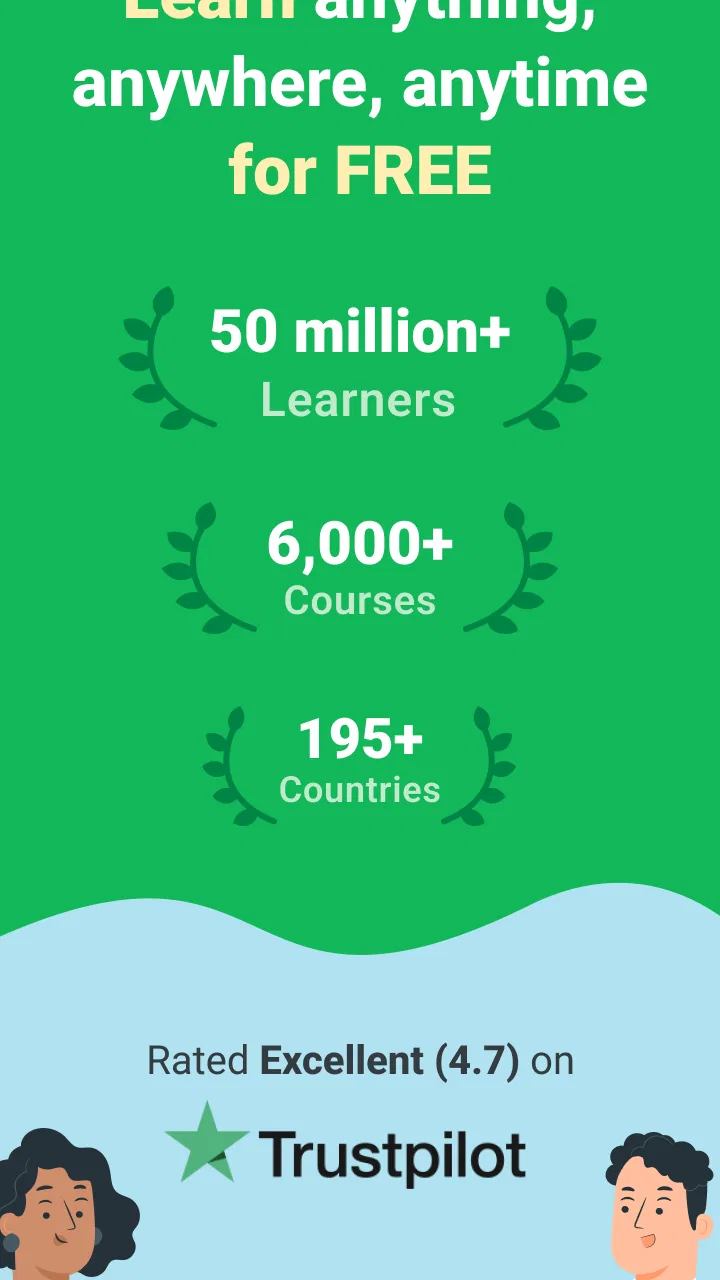
Alison eLearning is the developer behind the app, which is free to install and suitable for Everyone. Its strong 4.7 average from around 153 thousand ratings and more than 10 million installs suggest that it has reached a broad audience, although popularity should not be confused with a perfect fit for every learner. I see it as a practical starting point for exploring subjects, building study habits, and deciding whether a topic deserves deeper attention.
What to expect when you open Alison
The first thing to understand is that this is a course library rather than a single guided program. That distinction matters. If I already know that I want one carefully sequenced qualification with personal feedback, I would look at a specialist learning platform or an instructor-led course instead. Alison is better suited to someone who wants choice and needs to discover the right learning path.
You May Also Like

 Blood Strike: 2.5 Anniversary
Blood Strike’s Loadouts Turn Every Drop Into a Tactical Gamble
A close look at Blood Strike’s custom loadouts: how fast access to signature weapons reshapes its battle royale rhythm, rewards preparation, and narrows the gap between fights.

 Pandora - Music & Podcasts
Pandora’s Music Is Easy to Start, but Harder to Recover
Pandora’s strength is its low-effort path from a seed to a station. Its weak spot is how much confidence it asks you to place in connection, setup, and quiet recovery.

 8 Ball Pool
 Is Built on Rivalries, Rematches, and Routine
A close look at the rivalries, rematches, shared routines, and unanswered safety questions that turn a quick pool match into a persistent mobile community.

 Samsung Music
’s Quiet Strength Is Playing What You Already Own
Its reach comes less from spectacle than from dependable access to a personal library. That simplicity is both the app’s strongest retention engine and its ceiling.

 AccuWeather: Weather Radar
AccuWeather Review: A Quick, Clear Forecast for Everyday Decisions
For everyday plans, the best forecast is the one you can understand quickly. AccuWeather makes rain timing, radar, and local conditions easy to act on, with a few trade-offs.

 Hill Climb Racing
Why Hill Climb Racing Still Turns Crashes Into One More Run
A tiny car, a bumpy hill and one more upgrade: Hill Climb Racing keeps resurfacing because its simple chaos makes every near-miss feel personal.
More From Our News Desk
View All News


The range is one of its biggest strengths. A person interested in workplace skills can look toward business or marketing, while someone changing direction may prefer coding, AI, health, or another career-related subject. That variety makes the app approachable for beginners, but it also creates a decision problem: too many possible courses can make the first session less productive if I browse without a goal.
My advice is to arrive with a small outcome rather than a huge ambition. “Understand the basics of digital marketing” is more useful than “become better at marketing.” A focused intention helps me judge a course by whether it answers my immediate need, instead of choosing whatever title looks most attractive in the moment.
The app is free, but in-app purchases range from $2.49 to $105.50 per item. I would therefore check what is included in the particular learning path before treating every available option as identical. The free entry point is useful for trying the learning style, while paid items may matter to users who want additional value connected with their study. The important practical point is to explore first and spend only when the benefit is clear for my goal.
How the course library feels in everyday use
I would not use Alison like a social feed that I casually scroll through for a few seconds. Its value appears when I give a course enough attention to understand its structure and continue in a deliberate order. Short sessions can work well, but the app rewards returning to the same subject rather than collecting course titles.
For a first-time user, the best early test is simple: can I find one relevant course, begin a lesson, and remember one useful idea afterward? If the answer is yes, the app has already done something worthwhile. If I spend the entire session comparing categories and never begin, the problem is probably my selection process rather than the lack of content.
Because it covers both personal education and career skills, the tone and depth may vary from one course to another. I would read the course details carefully and consider whether the level matches my background. A beginner can be overwhelmed by a course that assumes prior knowledge, while an experienced learner may find an introductory course too slow.
Who will benefit most, and who should look elsewhere
This app is a good match for independent learners, people testing a possible career change, and workers who need to refresh a skill without following a rigid classroom schedule. It can also help someone who has been postponing study because the first step feels complicated. Opening a course and completing an initial lesson is a much smaller commitment than enrolling in a long academic program.
I would be more cautious if I needed live correction, a tutor who knows my work, or an externally required credential with clearly defined recognition. Alison can support learning, but an app alone cannot replace supervised practice in fields where mistakes have serious consequences. For those situations, I would pair it with an accredited program, workplace mentor, or qualified instructor.
It is also not the best option for a learner who needs strong external accountability. If I regularly abandon self-paced courses, a scheduled class with deadlines may serve me better. The freedom that makes Alison convenient can also make it easy to postpone the next lesson.
From installation to a meaningful first result
I use this section to show how I’d move from installing Alison to choosing a course with a clear purpose, rather than getting lost in a broad catalog. The goal is a modest first result: one idea I can explain and connect to something I do outside the app. That first step also makes it easier to decide whether a regular study routine will suit me.
Start with one practical target
After installing the app, I would avoid trying to map the entire catalog. I would write down one question I want answered or one task I want to perform better. For example, someone preparing for a new office role might choose a business topic, while a person exploring technology could begin with coding or AI fundamentals.
This small preparation changes the way I browse. Instead of asking which course sounds impressive, I ask which one is most likely to help with the problem in front of me. It also gives me a clear stopping point for the first day: find a suitable course, open its opening material, and make a brief note of what I learned.
Make the first session deliberately small
I recommend setting aside a quiet block that is long enough to concentrate but short enough to feel manageable. I would keep a note on my phone or paper beside me and record three things: unfamiliar terms, one idea I can explain in my own words, and one question that remains. This turns passive watching or reading into active study without requiring another tool.
A realistic example would be a retail worker considering a move into marketing. During a break at home, they could choose an introductory marketing course, complete the opening learning activity, and write down how the lesson connects with the way their current workplace communicates with customers. That connection is the first meaningful success. It does not require finishing an entire course; it shows that the material can be applied beyond the screen.
For coding or AI subjects, I would be especially careful not to confuse recognition with understanding. Seeing a term and thinking it looks familiar is not the same as using it. After a lesson, I would close the app and describe the main concept without looking. If I cannot explain it simply, I would revisit that section before moving forward.
Build a repeatable study routine
Once the first session feels useful, I would choose a regular trigger for returning: after breakfast, during a commute when it is safe to study, or immediately after finishing work. The exact schedule matters less than attaching learning to something already present in my day. A routine also reduces the temptation to search for a completely new course every time I open the app.
One of the more useful trade-offs is choosing depth over variety. The catalog invites exploration, but jumping between health, business, coding, and marketing can create the illusion of progress. I would keep one main course active and perhaps one secondary course for a different mood. More than that can turn education into collecting unfinished starts.
Handle the parts that may cause confusion
The word “free” deserves a careful interpretation. It makes the app easy to try, but the presence of in-app purchases means I would not assume that every course-related option has the same conditions. Before paying, I would identify exactly what the item adds to my intended learning outcome and whether I have already tested the course experience enough to know that I will use it.
Another possible source of confusion is the difference between completing material and becoming competent. A finished lesson can show that I stayed engaged, but it does not automatically prove that I can perform a workplace task. My solution is to create a tiny project alongside the course. A marketing learner could draft a sample campaign outline, while a coding learner could attempt a small exercise based on the concepts studied. The project exposes gaps that passive completion can hide.
I would also avoid judging a subject after only a few minutes. Some lessons become clearer once key vocabulary is established. At the same time, persistence should not mean forcing myself through a course that is clearly mismatched to my level. If the explanations assume knowledge I do not have, I would step back and search for a more introductory option within the app rather than blaming myself for struggling.
Use the app alongside, not instead of, real practice
Alison works best for me as the explanation and structure around a real-world task. If I am studying business, I can compare the lesson with a process at work. If I am learning about health, I can use the material to form better questions for a qualified professional rather than treating the app as personal medical advice. If I am exploring AI, I can keep a record of what I understand and where ethical or practical limits need further research.
This approach also clarifies when another option is better. A video platform may be more convenient for a single visual demonstration. A textbook may be easier to search deeply. A live course may offer the feedback I need. Alison’s advantage is the combination of broad subject choice, self-paced access, and a simple way to begin exploring several career-related areas in one place.
Device and access considerations
The listed minimum operating system is Android 7.0, which makes the app accessible to users on older compatible Android devices. I would still keep my expectations realistic: a phone is convenient for a lesson, but extended study may be more comfortable on a larger screen if the learning material requires sustained reading or note-taking.
I would also plan around my own attention rather than assuming that every study situation is suitable. A noisy commute may be fine for reviewing a familiar idea but poor for learning a difficult new concept. For important material, I prefer a quiet setting where I can pause, take notes, and test myself immediately.
What I would do next
After the first successful session, I would choose a modest continuation rule: return to the same course, review the notes from the previous lesson, and complete the next activity before browsing elsewhere. At the end of that session, I would ask whether the course is helping me answer my original question. If it is, I would continue. If it is not, I would change course with a reason, such as the level being wrong or the subject not matching my need.
That habit prevents two common mistakes: quitting too quickly because the first lesson feels unfamiliar, and continuing indefinitely simply because I have already invested time. The app gives me room to experiment, so I should use that flexibility thoughtfully rather than treating every unfinished course as a failure.
Alison is currently listed as version 3.4.189, and it was released on November 5, 2020. Those details place it in the category of an established learning app rather than a brand-new experiment, but the real test is still personal: whether its course selection and self-paced format suit the way I learn. I would install it for the free starting point, choose one clearly defined goal, and decide about any purchase only after seeing practical value.
My final view is straightforward: this is a strong option for curious, self-directed learners who want a broad education library and a gentle path into a new subject. It is less suitable for people who need guaranteed personal feedback, formal supervision, or firm deadlines. The best way to use Alison is to turn one lesson into one small real-world action; that is where the app moves from convenient browsing to genuine progress.
FAQs for Alison: Online Learning App
01What types of courses are available on the Alison app?
Alison offers a wide range of courses across various categories, such as technology, business, health, and personal development. Whether you're looking to improve your career skills or explore a new hobby, Alison provides free courses with certification options to help you achieve your educational goals.
02Is Alison a free app to use?
Yes, the Alison app is free to download and use. While the courses are accessible without charge, there are optional costs for obtaining certificates and diplomas upon course completion. This allows users to benefit from a robust learning experience without financial barriers.
03Do I receive a certificate after completing a course on Alison?
Upon completing a course, you can choose to purchase a certificate or diploma that verifies your achievement. These documents are recognized by industry professionals and can be shared with potential employers or educational institutions to showcase your new skills and knowledge.
04Can I access Alison courses offline?
Currently, the Alison app requires an internet connection to access courses. This ensures that you have the most up-to-date content and can interact with various course features. However, some resources and notes can be downloaded for offline review, providing flexibility in your learning schedule.
05How does Alison compare to other online learning platforms?
Alison stands out due to its extensive range of free courses and the option to purchase affordable certificates. Its user-friendly interface and diverse subject offerings make it a preferred choice for learners worldwide. While other platforms may offer more interactive elements, Alison's value lies in its accessibility and cost-effectiveness.
Pros
- Wide range of course topics available.
- User-friendly interface and navigation.
- Free access to many courses.
- Certificates available for completion.
- Regular updates with new content.
Cons
- Limited offline access to courses.
- Some advanced courses require payment.
- Advertisements in free version.
- Certificate fees can be high.
- Requires stable internet connection.

Alison: Online Learning App
Gallery